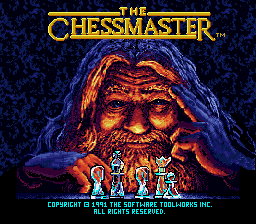
Play Descriptive Notation Chess Online
Type your moves in descriptive notation and checkmate your opponent's king in this classic chess game for MS-DOS.
Descriptive Notation Chess was part of the MS-DOS Classic Games collection, a release that bundled several early titles without a specific developer or publisher credited prominently. It belongs to that era when chess programs were straightforward utilities, often text-based or with very simple graphics, designed for practice rather than spectacle. You would load it from a floppy disk, and the screen would typically display the board using ASCII characters or minimal block graphics, relying on descriptive notation for all moves.
You control the chess pieces by typing your moves in descriptive notation, such as "P-K4" for pawn to king four, which the computer then validates and executes. The main objective is to checkmate the opponent's king, playing against an AI that ranges in difficulty depending on the program's settings. Signature mechanics include the strict use of descriptive notation for all input, a simple command line interface for move entry and game management, and the ability to review move history or set up specific positions. The pacing is deliberate, requiring careful thought for each move, and the difficulty can be steep if you are not already comfortable with the notation system. It feels like a focused, almost academic exercise in classical chess, where every move demands precision and forethought.
Each game uses different controls, most DOS games use the keyboard arrows. Some will use the mouse , "Alt" ,"Enter" and "Space bar".

Download Descriptive Notation Chess Game
You can download this ROM to play Descriptive Notation Chess offline using an MS-DOS emulator (Top Emulators).
*This ROM is provided for backup and educational purposes only.
Related ROMs
- Dexter's Laboratory : Chess Challenge Rom [gba]
- Chess-Master Rom [gbc]
- Sega Chess Rom [sms]
- Terminator 2 - Judgement Day - Chess Wars Rom [msdos]
- Laser Chess Rom [msdos]
- Ed Chess Rom [msdos]
- Sargon 5 - World Class Chess Rom [msdos]
- Bluebush Chess Rom [msdos]
- Bobby Fischer Teaches Chess Rom [msdos]
- Chess Rom [msdos]
- Complete Chess System Rom [msdos]
- Grandmaster Chess Rom [msdos]